Instructions for Data Sharing
Energienetze Steiermark GmbH
Register in the Customer Portal
01
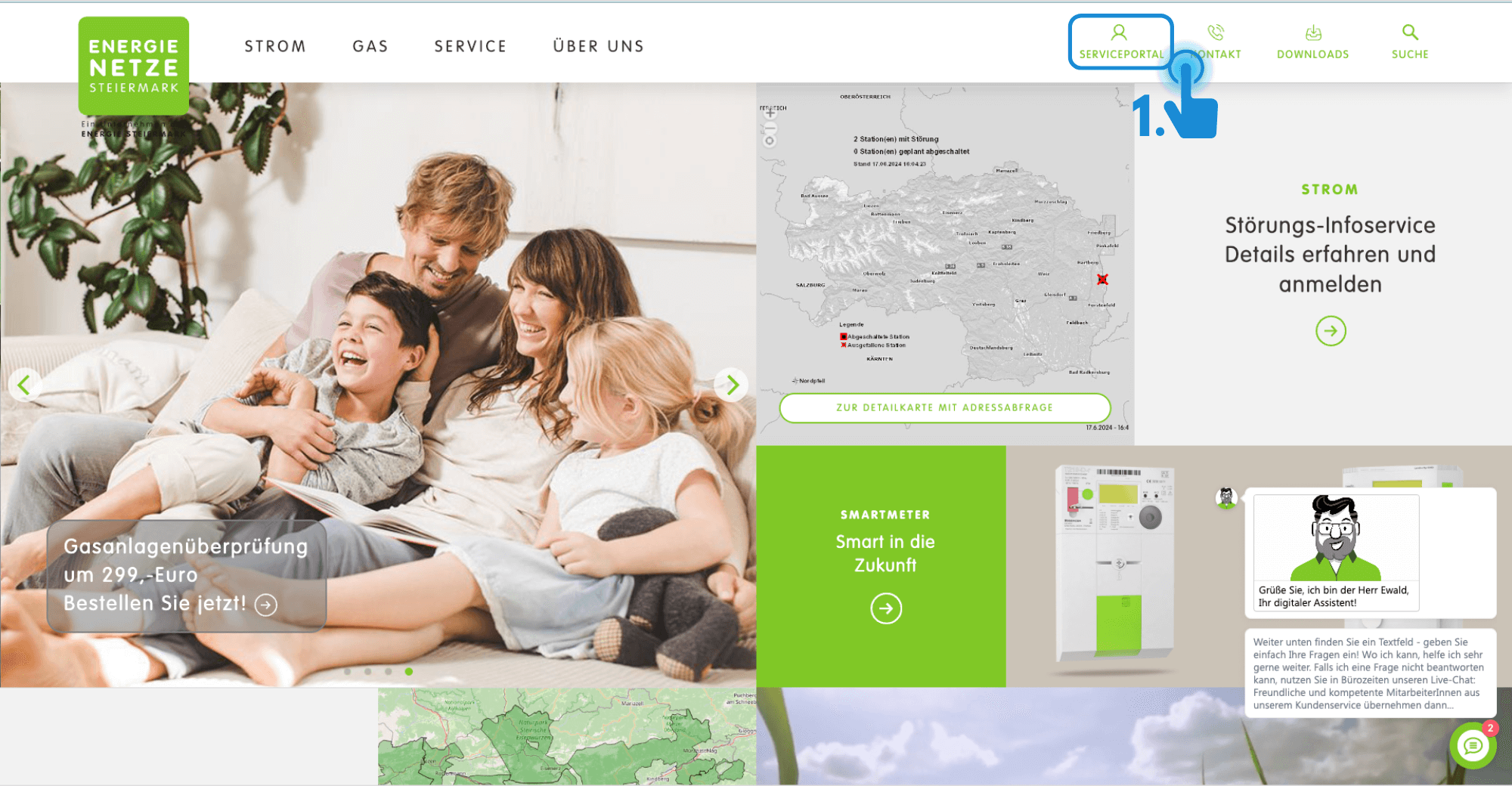
Go to the homepage of Energienetze Steiermark GmbH: www.e-netze.at and click on 'Service Portal' in the top right corner.
02
If you do not yet have login credentials for your customer portal, you must first register. Follow the registration instructions. If you encounter any issues at
, please contact kundenservice@e-netze.at or the e-netze customer hotline at +43 316 90555.
Log in to the Customer Portal
03
If you are registered, click " Sign In."
04
Now log in with your email address and password, and click " Sign In."
Grant Data Sharing
05
Click“Service”in the menu at the top.
06
In the dropdown menu, select“EnergyData Sharing.”
07
to the “Pending” tab .
08
Click the green checkmark in the lower-right corner to confirm data sharing.
A message appears
09
Click "Grant Access" to complete the data sharing process.
Done!
- The energy data can now be exchanged between you and the ENERGY COMMUNITY AUSTRIA.