Instructions for Data Sharing
KNG-Kärnten Netz GmbH
Register in the Customer Portal
01
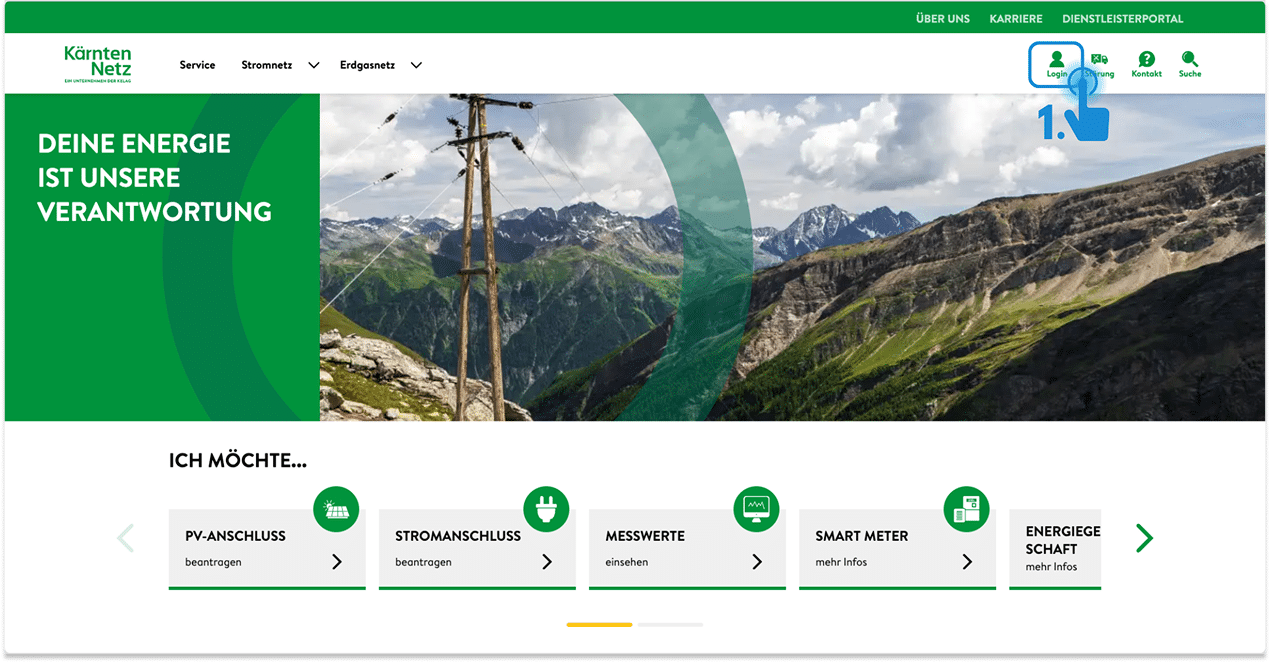
Go to the homepage of KNG-Kärnten Netz GmbH https://kaerntennetz.at/ and click on “Login” in the top right corner.
02
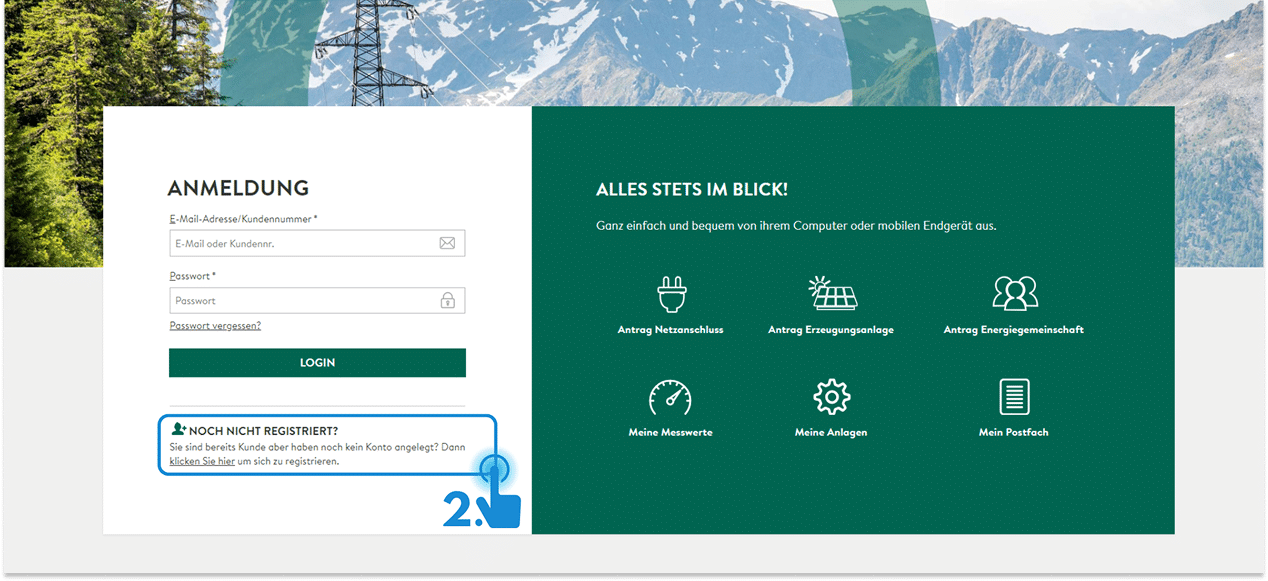
If you do not yet have login details for your customer portal, you must first register. Follow the registration process. If you encounter any problems, please contact the customer service of KNG-Kärnten Netz GmbH at +43 505 25-6000.
You can find your customer number, for example, on your last invoice.
Log in to the Customer Portal
03
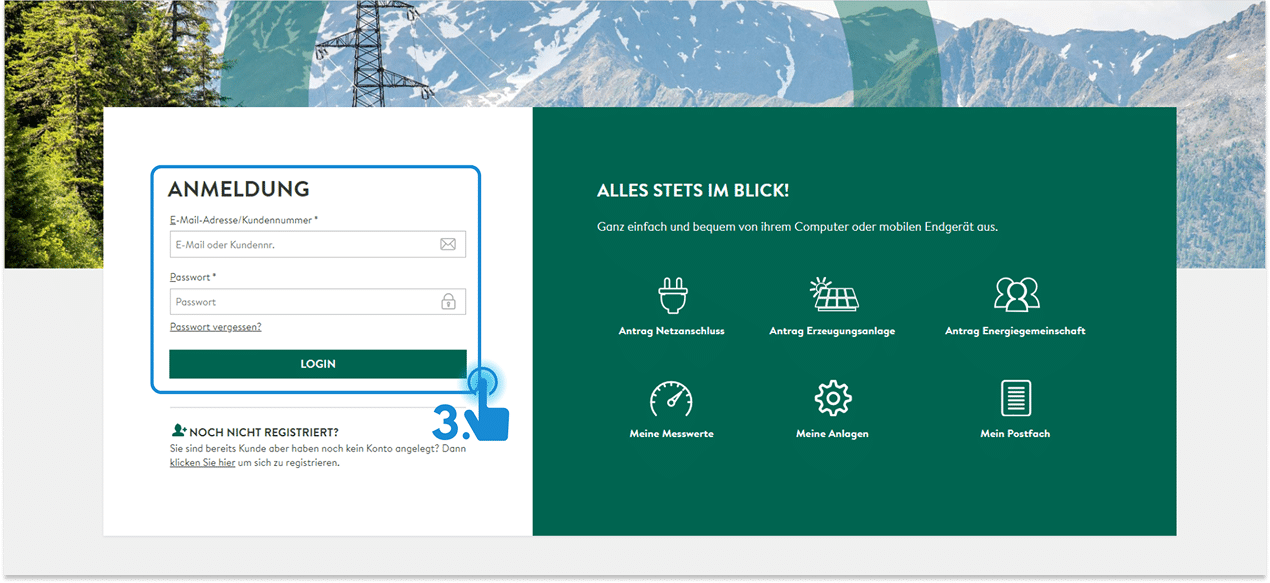
Log in to the customer portal with your email or customer number and your password.
Grant Data Sharing
04
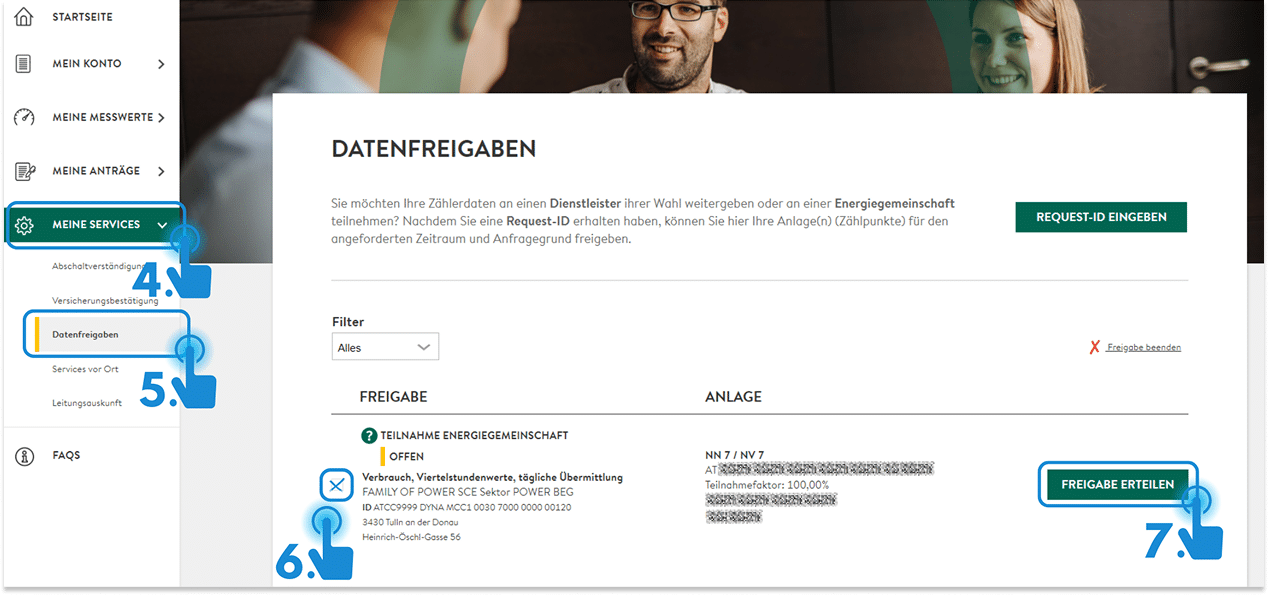
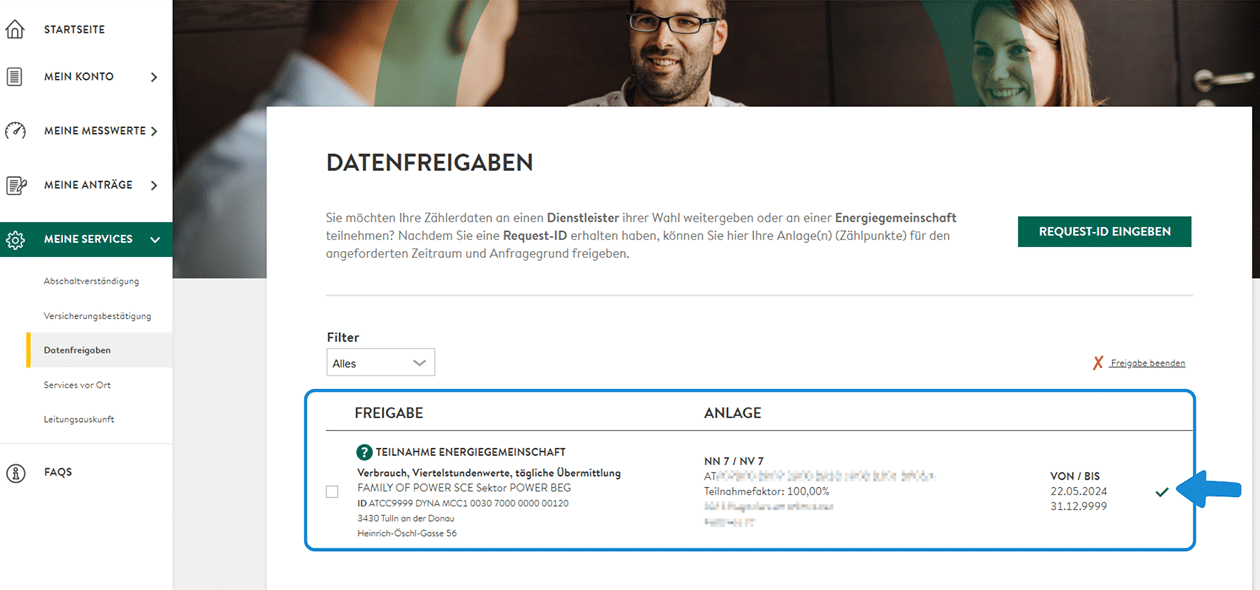
In the list on the left, click on “My Services”.
05
Then click on “Data Sharing”.
06
Select the corresponding data sharing option by clicking the checkbox.
07
Click on “Grant Access”.
A new window will appear.
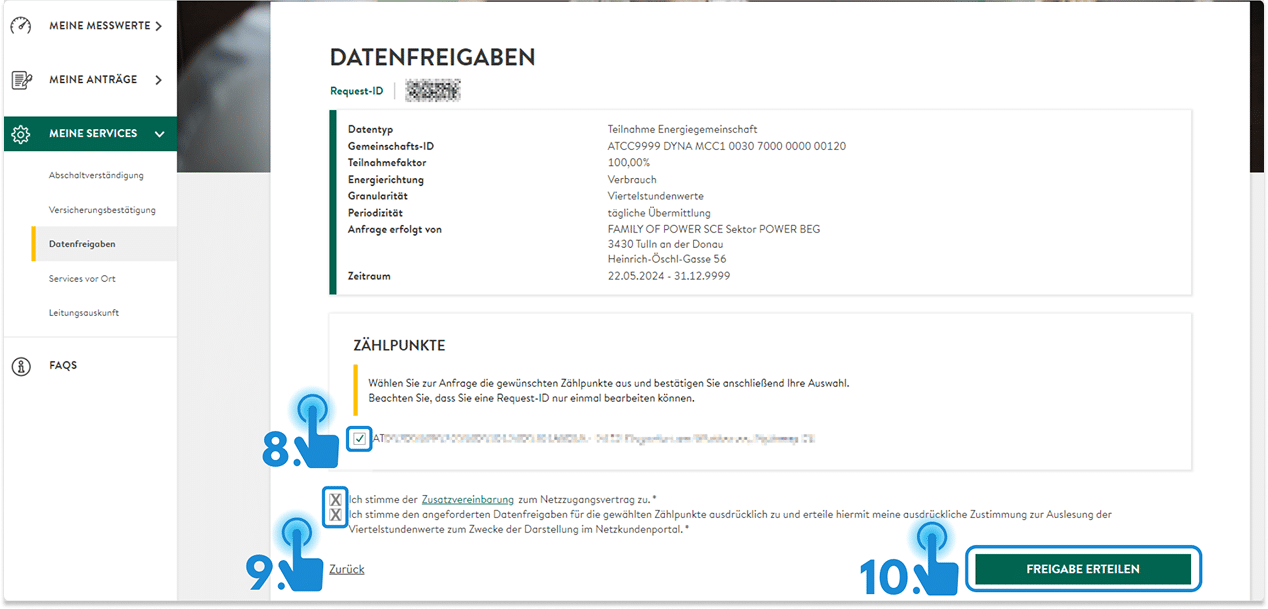
08
Select the metering point.
09
Check the box to agree to the Additional Agreement to the Grid Access Contract. Check the box to agree to the Data Sharing.
10
Click on “Grant Access”.
You will now see a green checkmark to the right of the data sharing option.
Done! The energy data can now be exchanged between you and the ENERGY COMMUNITY AUSTRIA.